
The following instructions explain workarounds for various warnings your browser and/or Microsoft might throw at you.
These warnings come up, not because this program is dangerous but because the download is not widely shared and only used by remote support customers. Meaning Chrome and Microsoft don't understand that the file is not a threat.
Any legitimate Anti-Virus program will not find anything wrong with this file.
• Step 1 - Click the Download Button
• Step 2 - If the file produces a security warning.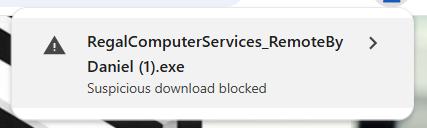
Click on the > on the right hand side.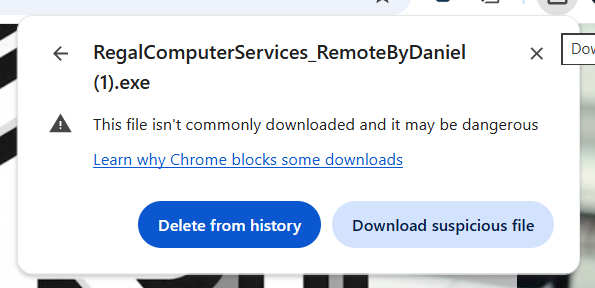
Click Download Suspicious File.
• Step 3 - Find where the file was downloaded to. Right click on the file and choose Run as Administrator and follow on screen prompts to complete installation.
• Step 1 - Click the Download Button
• Step 2 - If the file produces a security warning.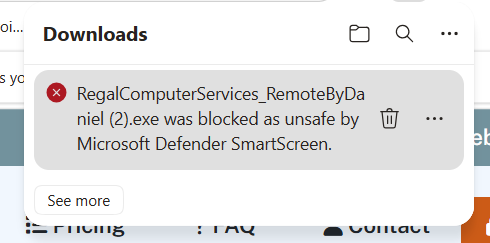
Click on the ... on the right hand side.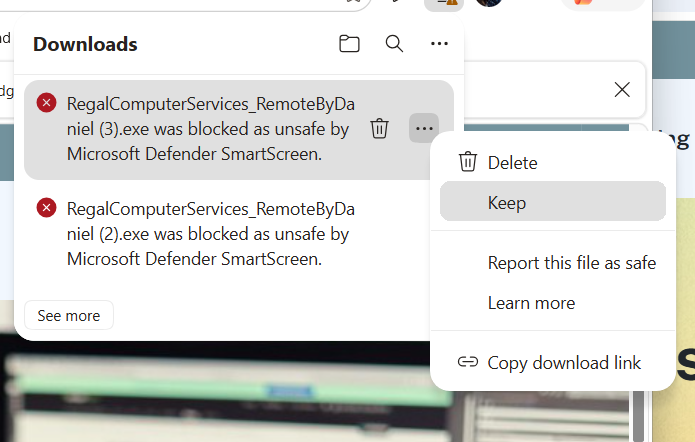
Click Keep in the popout menu.
• Step 3 - Find where the file was downloaded to. Right click on the file and choose Run as Administrator and follow on screen prompts to complete installation.
• Step 1 - If you see the following message or similar.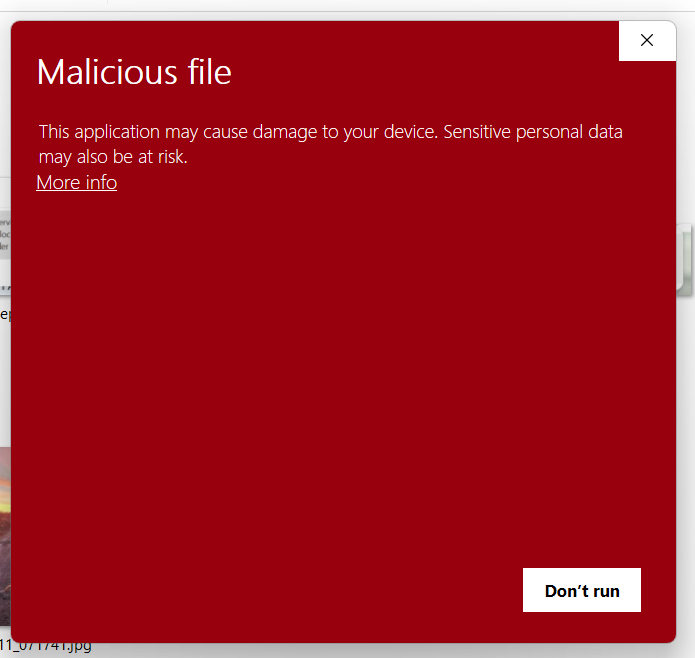
Click on more info.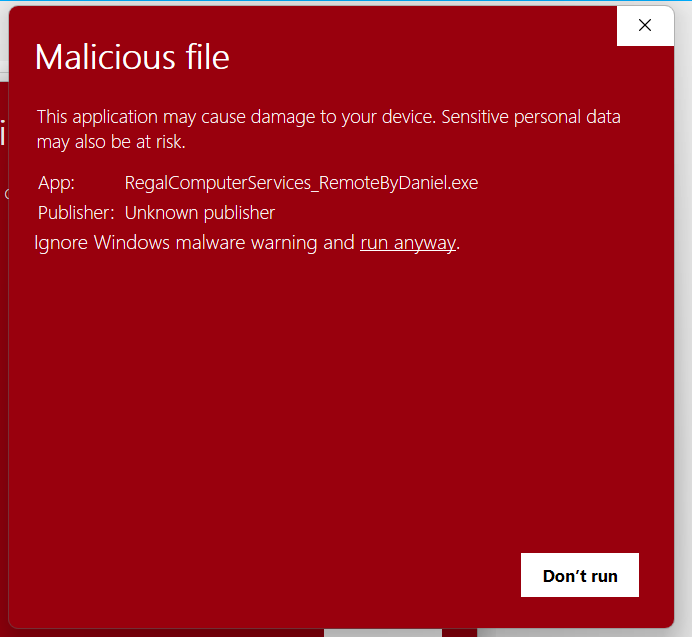
Click on run anyway to start the installation.